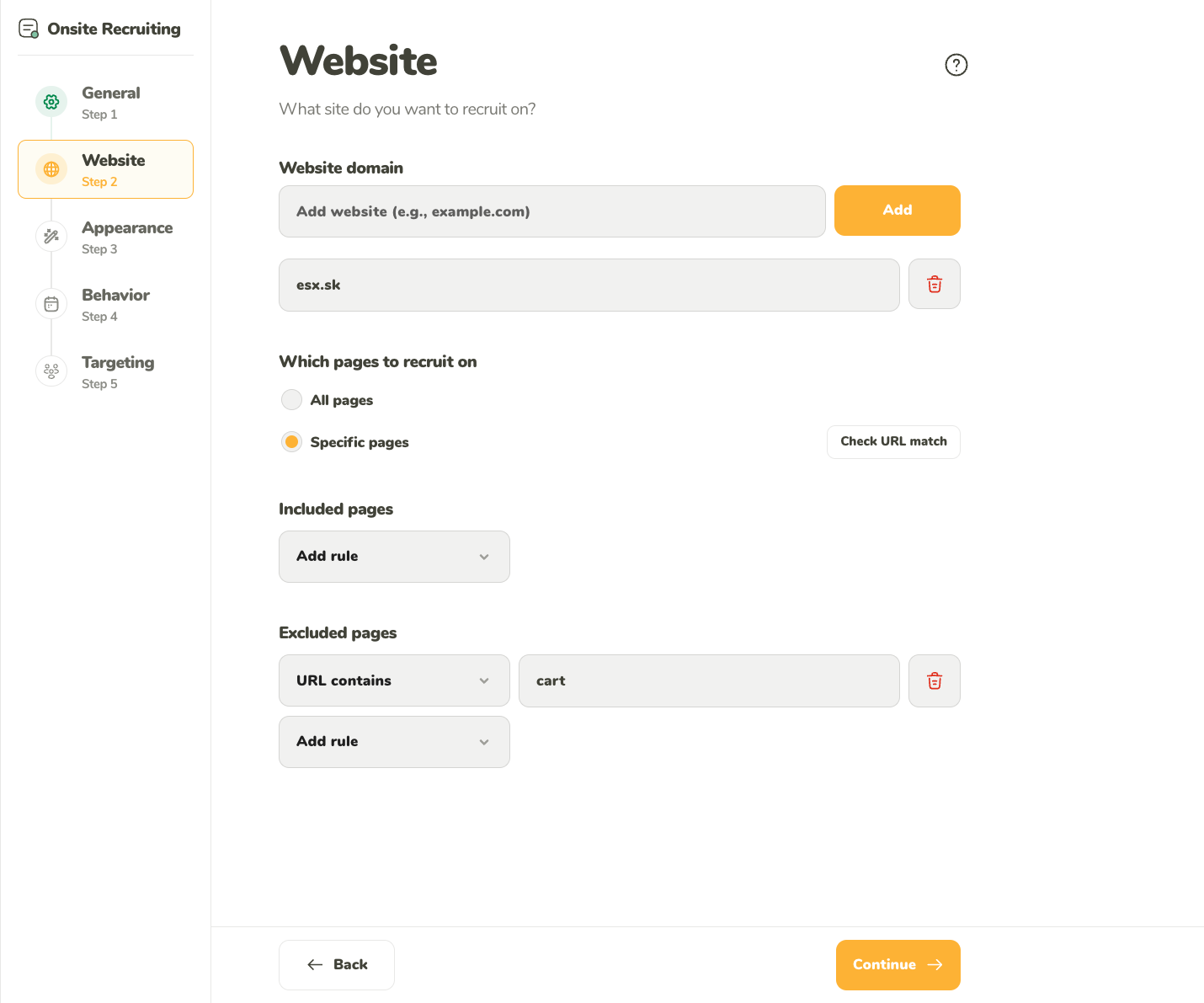
How to set up the domain and pages details in the Website step
Table of contents
This section covers what you can set up in the Website step of the setup:
Website domain
Which pages to recruit on
Website domain
You may use the Onsite Recruiting on multiple domains at once (example.com and sample.com). You can use an unlimited number of domains (these domains are not tied to the recording domains used by the Website Testing and Session Recording tools, where the number of domains is determined by the team owner’s plan).
To add a domain, simply type it in. You can also copy and paste the URL to your website, and UXtweak will extract the domain name out of the URL automatically.
Only the highest-level domain name needs to be inserted here. For example, if you wish to display the widget on the site http://store.example.com, then “example.com” is the domain, while “store” is just a subdomain.
To delete a domain, simply click on the trash can next to it.
Which pages to recruit on
You can choose to restrict your widget to show up only on specific pages on your web. You can:
Include pages – the widget will show up only on pages defined here
Exclude pages – the widget will show up on all the pages of your domains except for these pages.
The URLs of pages consist of the following parts: “protocol,” “hostname,” “port,” ‘pathname,” “search,” and “hash.” Each part “matches” in a specific way:
protocol – matches even if they aren’t exact match (HTTP == HTTPS)
We need your consent to use cookies
on our website to provide you with the highest level of service.
You can change the settings by clicking the "Settings" button.
These cookies are necessary to ensure the operation and basic functions of the UXtweak website.
They store information about your UXtweak session and help protect your privacy.
Analytics cookies
These cookies are used to analyze traffic on our website, so that we can better understand our users
and improve the site's content, usability and functionality.