How do I interpret the Paths Analysis in Prototype Testing?
Table of contents
In this help, we’ll discuss how to use the Paths analysis to:
View Paths per task
View Paths per task
This analysis displays Paths one task at a time
Use the task selection dropdown list in the top section of the screen to switch to the task you want to analyze.
Alternatively, use the arrow buttons to the left and right of the dropdown list to move to the previous/next task.
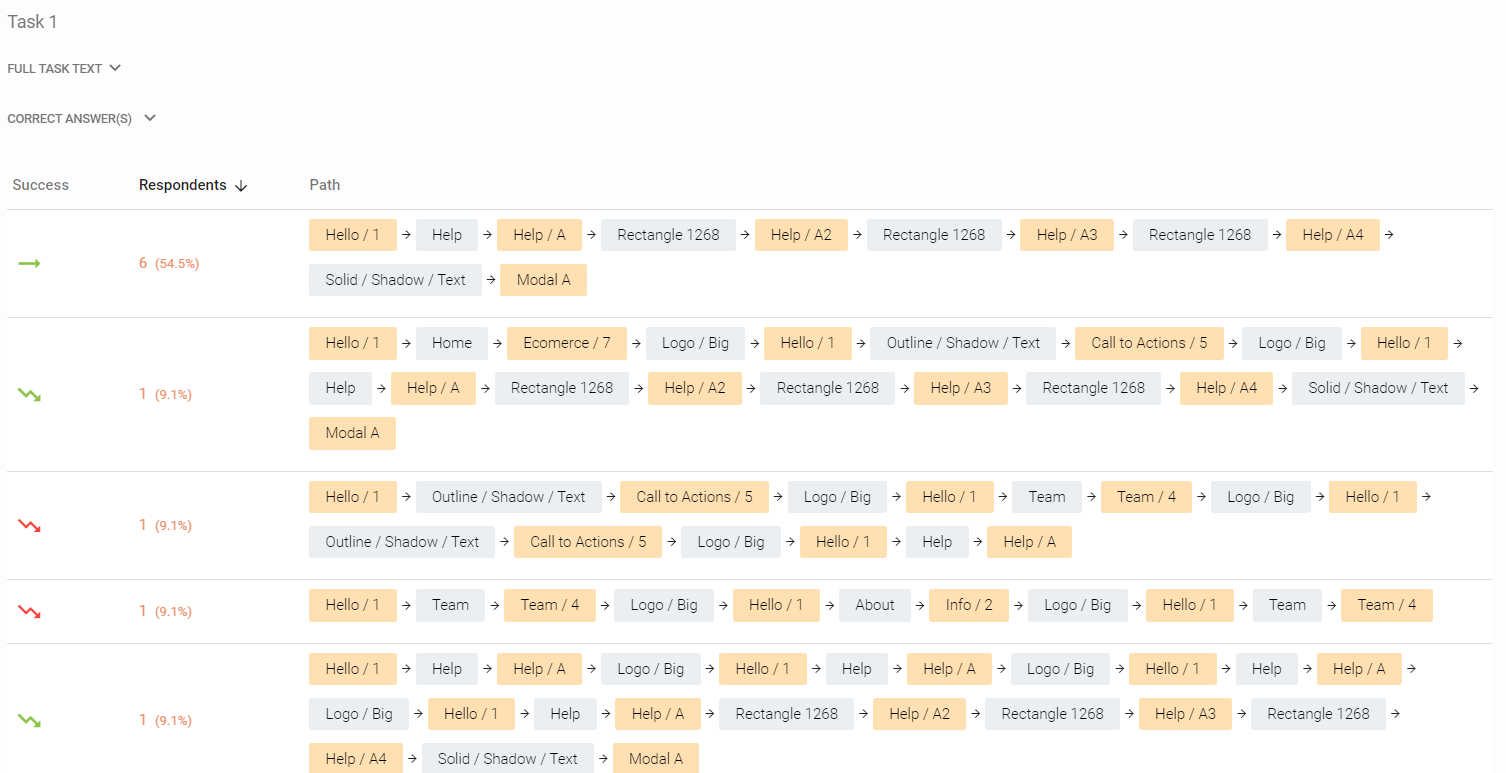
For each task, Paths contains:
The task’s text and the correct answers
The Paths table, which contains in the following order: the success value of the path, the number of respondents who took this path (total + percentage) and the path itself, composed of an ordered list of designs as they were being traversed, including the hotspots that were clicked to trigger each movement between designs.
By default, the paths are ordered by the number ofRespondentsin descending order, however the order can be changed, by clicking the headersSuccessandRespondents
The table is sorted by the column with an arrow in its header. Arrow down means descending order, arrow up means ascending order
Click the value of Respondents to display a list of all respondents who took the chosen path. To easily manipulate these respondents in theRespondents tab, clickAdd respondents to selection list
TheSuccesscolumn marks which type of result the path represents. It can have one of the following values:
Direct success– the respondent went directly for the correct answer
Indirect success– the respondent took a different path and backtracked before going for the correct answer
Direct failure– the respondent went directly for a wrong answer
Indirect failure– the respondent took a different path and backtracked before going for a wrong answer
Direct skip– the respondents skipped the task immediately, without clicking anywhere in the prototype first
Indirect skip– the respondent explored the prototype before choosing to skip the task
Paths aggregation
Learn which paths were most frequent and whether they led to a success, failure or skip.
We need your consent to use cookies
on our website to provide you with the highest level of service.
You can change the settings by clicking the "Settings" button.
These cookies are necessary to ensure the operation and basic functions of the UXtweak website.
They store information about your UXtweak session and help protect your privacy.
Analytics cookies
These cookies are used to analyze traffic on our website, so that we can better understand our users
and improve the site's content, usability and functionality.