How do I use the General tab in Session Recording?
Table of contents
In this help, we’ll discuss how to use the General tab to:
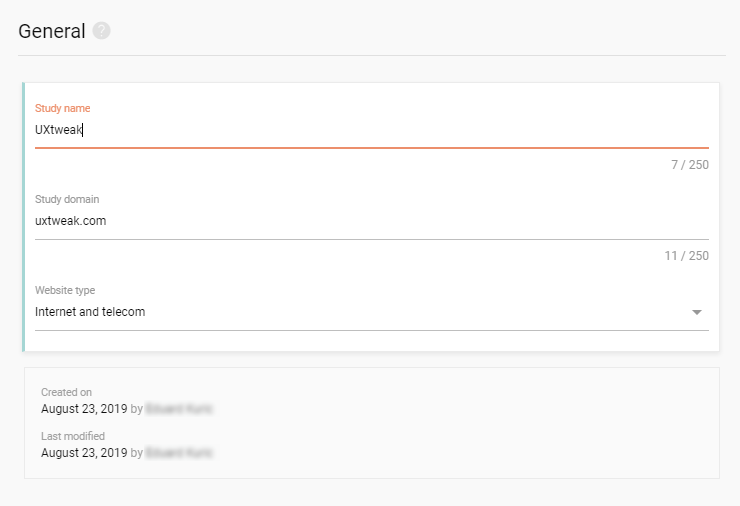
Name your study
Set your website’s domain and type
Watch how to use General study settings
Localization, respondent identification. restrictment of access with a password, automatic closing of your study and more…
Name your study
Visitors don’t see the study name displayed anywhere
Use a name that helps you identify the study on the dashboard
Set your website’s domain and type
Your study is always bound to a specific domain.
To add a domain, simply type it in. You can also copy and paste the URL to your website and UXtweak will extract the domain name out of the URL automatically.
Each domain occupies a slot in your plan’s domain list. Check your plan to see how many domains you can user.
Select a website type that best characterizes your web. This helps us know what kind of project you’re running, so we can better adjust our service to meet the needs of our customers.
General settings
In general settings, you can define basic properties of your study, such as its name and your website’s domain and type.
We need your consent to use cookies
on our website to provide you with the highest level of service.
You can change the settings by clicking the "Settings" button.
These cookies are necessary to ensure the operation and basic functions of the UXtweak website.
They store information about your UXtweak session and help protect your privacy.
Analytics cookies
These cookies are used to analyze traffic on our website, so that we can better understand our users
and improve the site's content, usability and functionality.